main.log [redacted]
No problem
If you are comfortable using WP CLI please attempt the following.
(Please make sure your existing database data has a backup before proceeding, instructions on how to obtain a backup at the bottom of the message)
- Stop the MariaDB container.
- Start a new mariadb container on the same volume, without privileges (something like
docker run --name devkinsta_reset_mariadb_root -v devkinsta_db_data:/var/lib/mysql/ -d mariadb:10.5.5 mysqld --skip-grant-tables).- This is basically identical to DKs MariaDB container, with the exception that it does not require login. So even if it prompts for user/password, any random value will work.
- Alter the root user:
USE mysql; FLUSH PRIVILEGES; ALTER USER ‘root’@‘localhost’ IDENTIFIED BY ‘ENTER_THE_NEW_PASS_HERE’; FLUSH PRIVILEGES;
- Remove the temp container:
docker rm devkinsta_reset_mariadb_root -f
- Start the real DK MariaDB container.
If you need to backup the data first:
- try accessing adminer via http://127.0.0.1:15200 and export the database(s)
OR - enter the
docker_fpmcontainer via docker CLI, and move to the folders →cd public/<sitename>, there execute thewp db export --allow-root, then copy the SQL file from the docker container to the machine disk so it won’t be removed if the containers are stopped/removed
Hi there, I experience the same issue. For me, I was able to load DevKinsta after removing the config.json, however that way all my sites got lost. Adding the old config.json again DevKinsta does not load.
Here’s the last few log entries:
[2025-11-05 19:40:13.282] [info] [watchDocker] Container: devkinsta_nginx, status: exec_create: nginx -s reload
[2025-11-05 19:40:13.295] [info] [watchDocker] Container: devkinsta_nginx, status: exec_start: nginx -s reload
[2025-11-05 19:40:13.453] [info] [watchDocker] Container: devkinsta_nginx, status: exec_die
[2025-11-05 19:40:13.484] [info] [dockerUtil/getContainer] Get ‘devkinsta_fpm’ Docker container
[2025-11-05 19:40:13.484] [info] [updateServiceStorage] Update Fpm service storage. ContainerId: devkinsta_fpm
[2025-11-05 19:40:13.485] [info] [getDevKinstaPath] get DevKinsta path
[2025-11-05 19:40:13.485] [info] [isWslMode] check if docker runs on wsl mode
[2025-11-05 19:40:13.490] [info] [dockerUtil/getContainer] Get ‘devkinsta_nginx’ Docker container
[2025-11-05 19:40:13.490] [info] [updateServiceStorage] Update Nginx service storage. ContainerId: devkinsta_nginx
[2025-11-05 19:40:13.490] [info] [getDevKinstaPath] get DevKinsta path
[2025-11-05 19:40:13.491] [info] [isWslMode] check if docker runs on wsl mode
[2025-11-05 19:40:13.496] [info] [dockerUtil/getContainer] Get ‘devkinsta_db’ Docker container
[2025-11-05 19:40:13.496] [info] [updateServiceStorage] Update MariaDb service storage. ContainerId: devkinsta_db
[2025-11-05 19:40:13.497] [info] [dockerUtil/getContainer] Get ‘devkinsta_mailhog’ Docker container
[2025-11-05 19:40:13.497] [info] [updateServiceStorage] Update Mailhog service storage. ContainerId: devkinsta_mailhog
[2025-11-05 19:40:13.527] [info] [setConfig] Set WordPress config on ‘devkinsta_fpm’ container
[2025-11-05 19:40:13.528] [info] [dockerUtil/getContainer] Get ‘devkinsta_fpm’ Docker container
Hello @arnespremberg  Welcome to Kinsta Community!
I’m sorry to hear that you’re having this issue.
The log entries you shared don’t show any particular issue. Can you please provide the entire main.log?
I also see that my colleague replied to you here: DevKinsta does not open, stuck on "Updating site WordPress configurations..." - #2 by Adrian_L
We should stick to one thread so feel free to reply here or in that thread. 
Kind regards
Hi @VladimirM thanks for your response.
Since the reply of your colleague in the other thread is not helpful, let’s stay here!
Please find the entire main.log attached.
main.log [redacted]
Hello @arnespremberg
I’m afraid that logs are showing some JSON error which are non-specific. While I have seen this in the past with different issues, we haven’t been able to connect this to a specific aspect of the application.
I need a few clarifications:
- What exact json file did you remove?
- Did you try to (in this order):
- Quite (force quit if needed) Dev Kinsta?
- Open Docker Desktop, select containers (not images and volumes), just containers starting with devkinsta_ and then trying to start DevKinsta again?
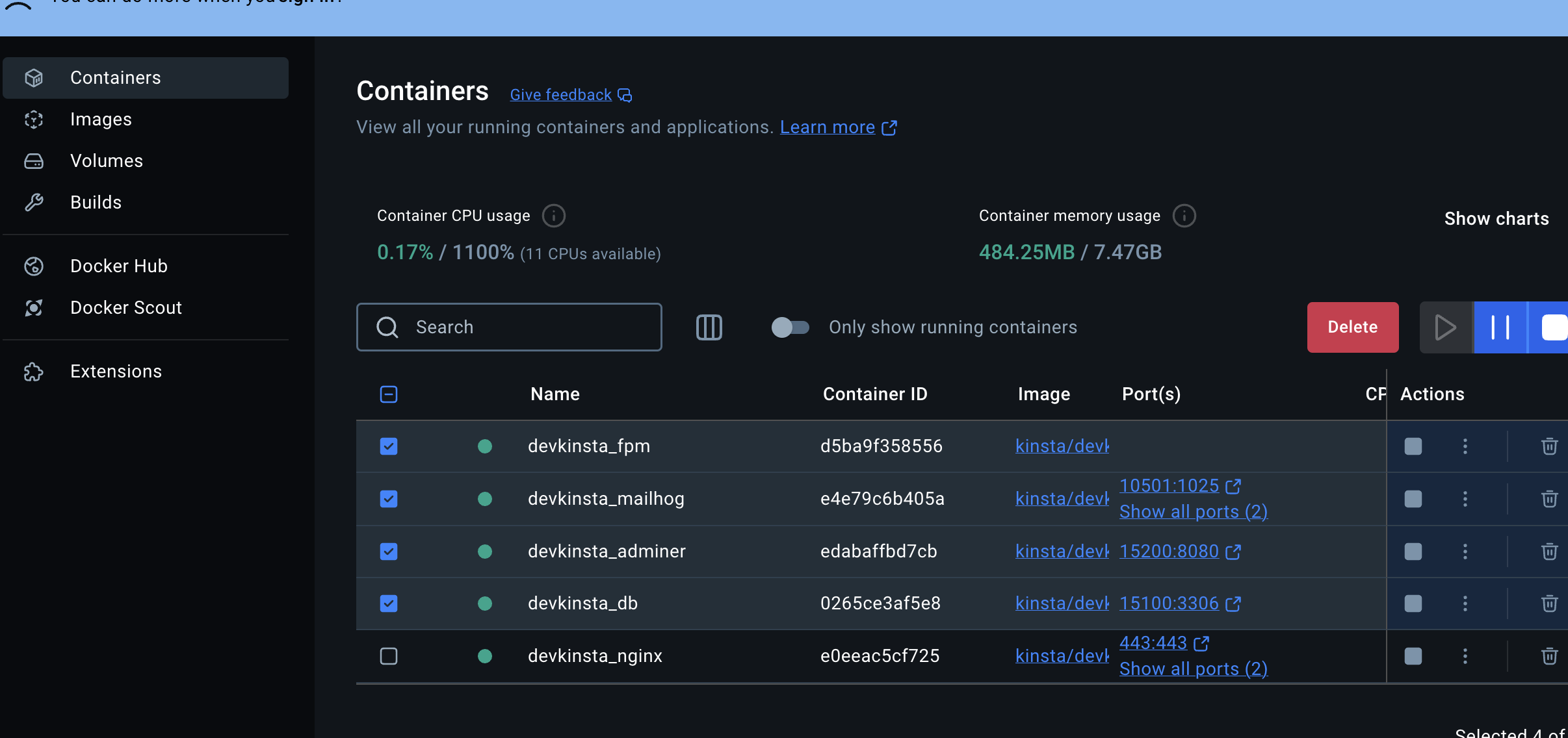
- What is the content of json file you used to replace your old file that helped load DevKinsta but didn’t show your sites?
Thanks!
Thanks for the response!
I created a backup of ~/Library/Application\ Support/DevKinsta/config.json and removed it. This made DevKinsta start, but without my pages, so I put the backup back in place.
- I cannot quit DevKinsta since it does not open
- I already removed all Docker containers 3 times without success.
- The content of the json I used to replaced is exactly a backup of the file. The issue appeared BEFORE I did anything to that config.json, this was purely for debug purposes.
Thanks
Thank you for the reply!@arnespremberg
To confirm, what I meant by force quitting, is whether DevKinsta crashes when it gets stuck or are you force-closing it? I just wanted to make sure that you force-quit DevKinsta (it doesn’t remain open when stuck), that you deleted the containers I listed. Then you can try quitting Docker and restarting it (there shouldn’t be any DevKinsta containers left when it restarts, they should only appear once you restart Kinsta).
Sorry for the back and forth, but can you confirm if these steps were taken in the order listed above?
This usually happens because the local Docker environment or database setup got corrupted. Try fully resetting DevKinsta by deleting all containers, volumes, and images from Docker Desktop, then restart Docker and open DevKinsta again. Also make sure Docker is running properly before launching the app. If it’s still stuck, delete the DevKinsta site folder and recreate the site from scratch, since the database password issue likely broke the setup.